

How to Create a Training Course with AI: From a PDF to a Published Course in 60 Minutes
For most of L&D’s history, the cost of building a course decided what got trained. A compliance module meant weeks of storyboarding and authoring, so teams rationed their effort. The policy update became an email. The product spec stayed a PDF. And practice, the part that actually changes behaviour, was the first thing cut when a deadline moved.
AI has removed that constraint. A course that took weeks can now be drafted from a PDF in minutes, scenarios and role plays included. When building gets this cheap, the advantage moves to the teams with better judgment: the ones who know which outcome matters, which facts to double-check, and what realistic practice looks like for their people.
Speed is the obvious gain. The bigger one is that every course can now include practice, and L&D can spend its time on the decisions that make training work.
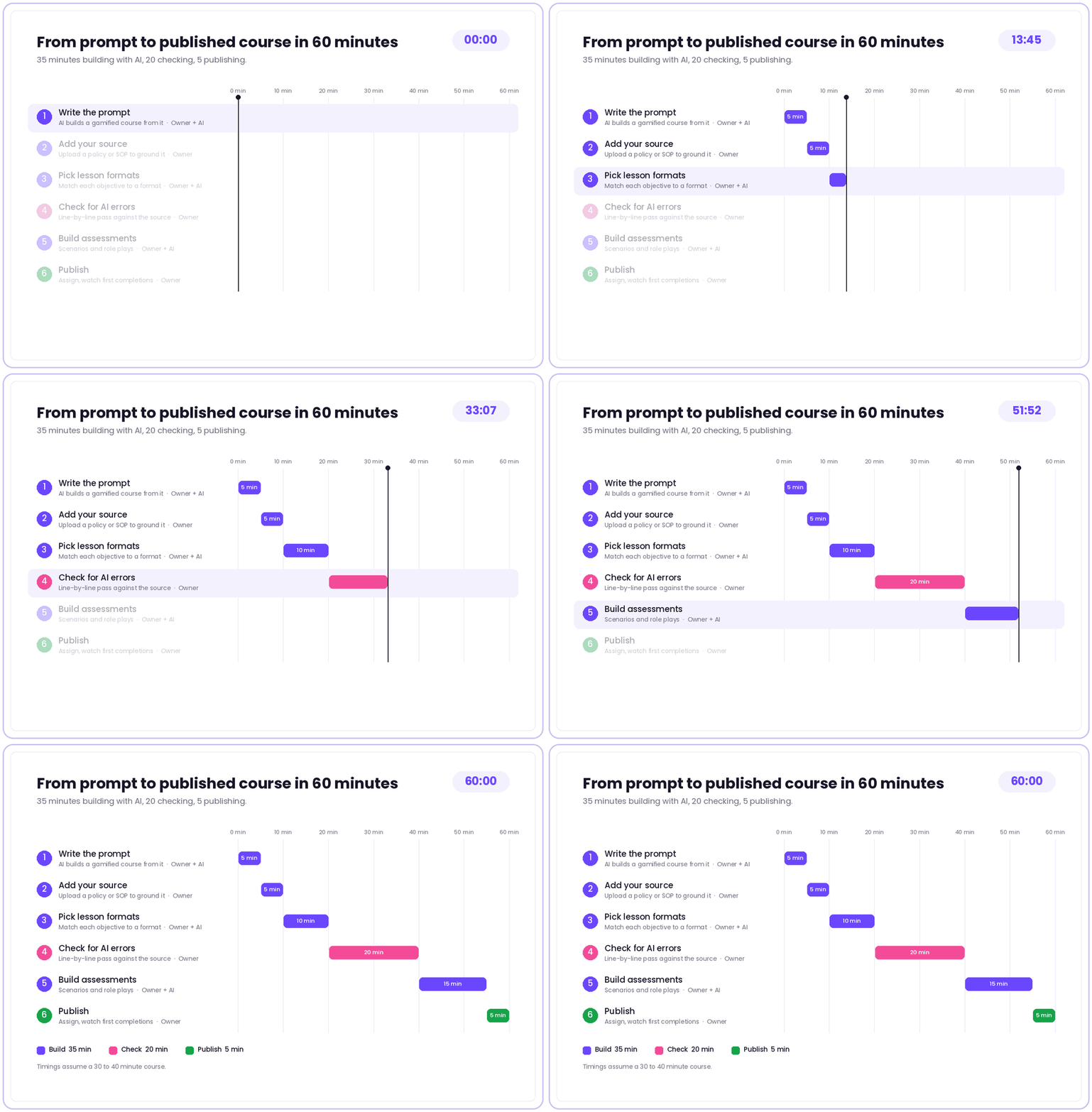
This guide shows what that looks like on the ground: a six-step workflow to turn a PDF into a reviewed, published course in about an hour, using Nano Composer inside Nano LMS. It works best for a 10 to 30 page source.
Why Build It With AI?
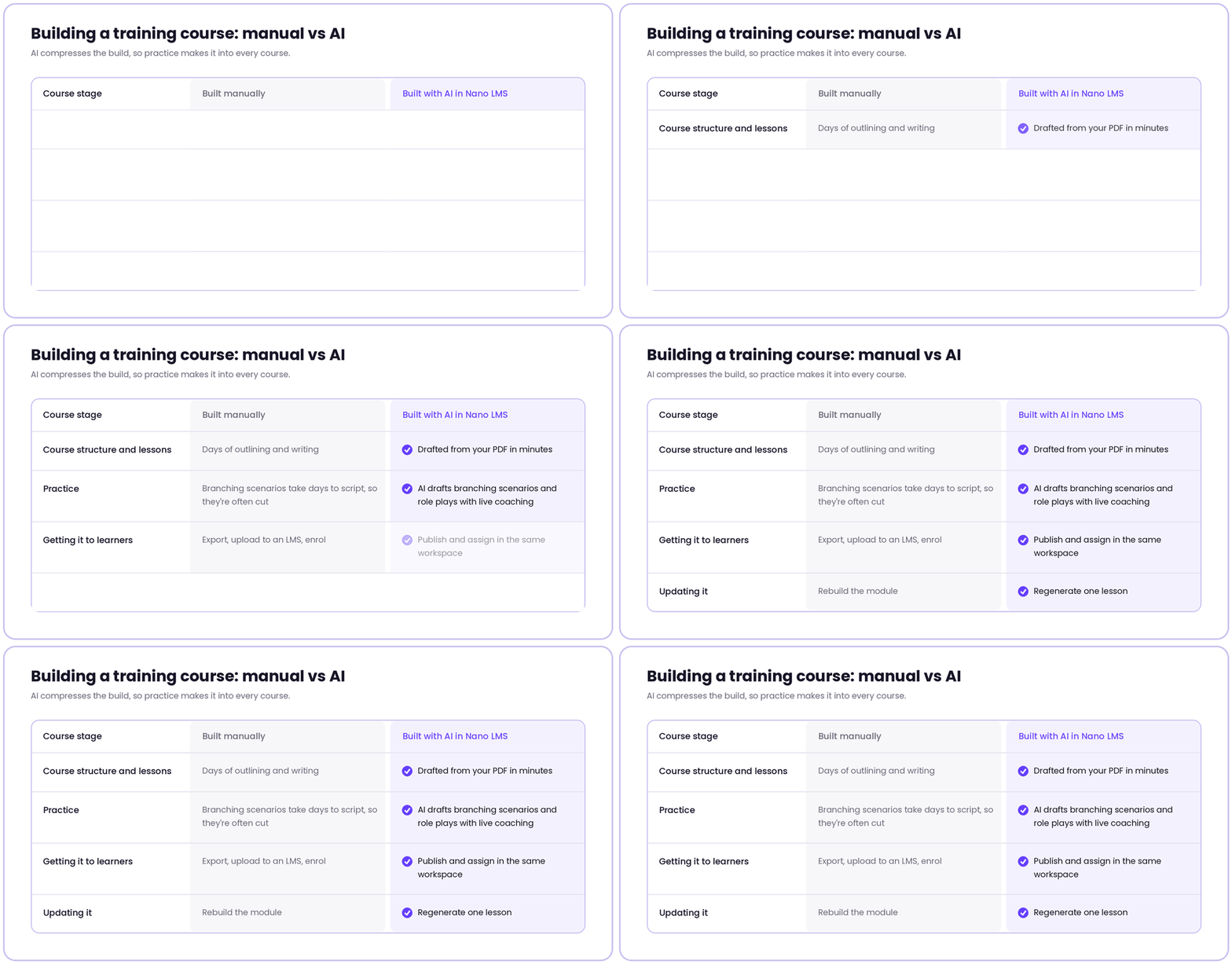
Building a course by hand is slow at every stage. You storyboard the content, write every screen, rebuild it in an authoring tool, and wait on SME reviews. That takes weeks, so practice is usually the first thing to get cut, and learners end up with slides and a quiz.
AI changes what fits into the same hour. In Nano LMS, Nano Composer, the AI course builder, turns your prompt and PDF into a structured course draft. Agent Max, the AI assistant inside the Lesson Builder, drafts individual lessons from a plain description and refines them as you chat. Here’s how that compares with building by hand:
The hours you save go into the parts that need a person: checking facts and making practice realistic. That’s why it works so well for onboarding, compliance and sales training, where lots of people need the same training fast.
How to Create a Training Course with AI
Step 1: Write your prompt (5 minutes)
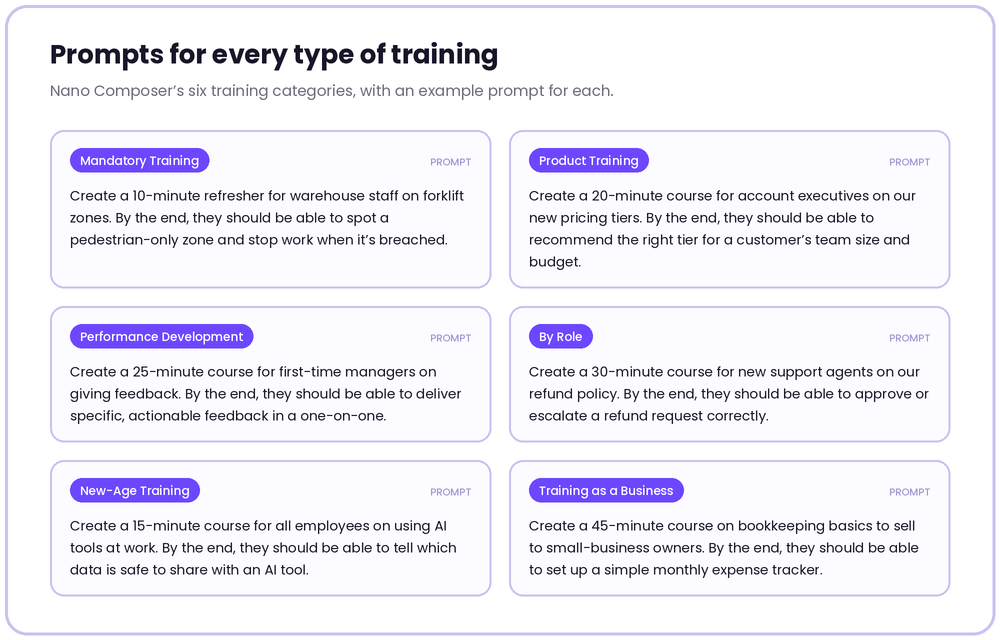
In Nano LMS, click Create Course and describe the course you want in plain language. Nano Composer, the AI course builder, turns your prompt into a complete, gamified course, ready for you to refine.
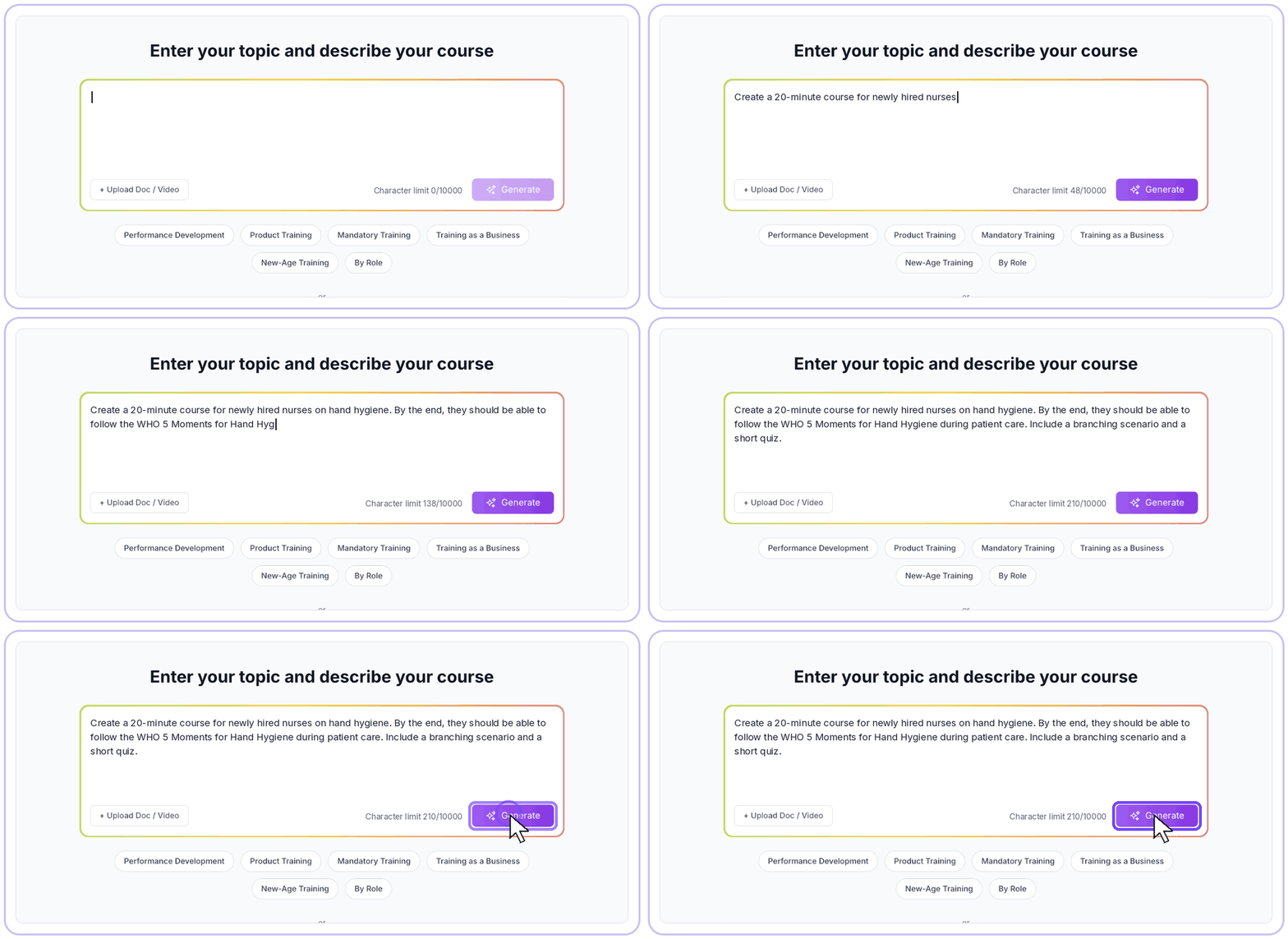
Here’s an example prompt for a code of conduct course:
Create a 30 to 40 minute course for new joiners in their first two weeks on our code of conduct. By the end, they should be able to spot a conflict of interest and report it within 24 hours. Include a branching scenario and a short quiz.
A strong prompt covers four things:
- Who it’s for: the audience and what they already know.
- What they should be able to do: an action you could observe, like reporting within 24 hours. “Understand the code of conduct” is too vague for the AI to build practice around.
- How long: the total time and lesson size.
- What to include: the formats you want, like a scenario, a role play or a quiz.
Step 2: Add your source document, if required (5 minutes)
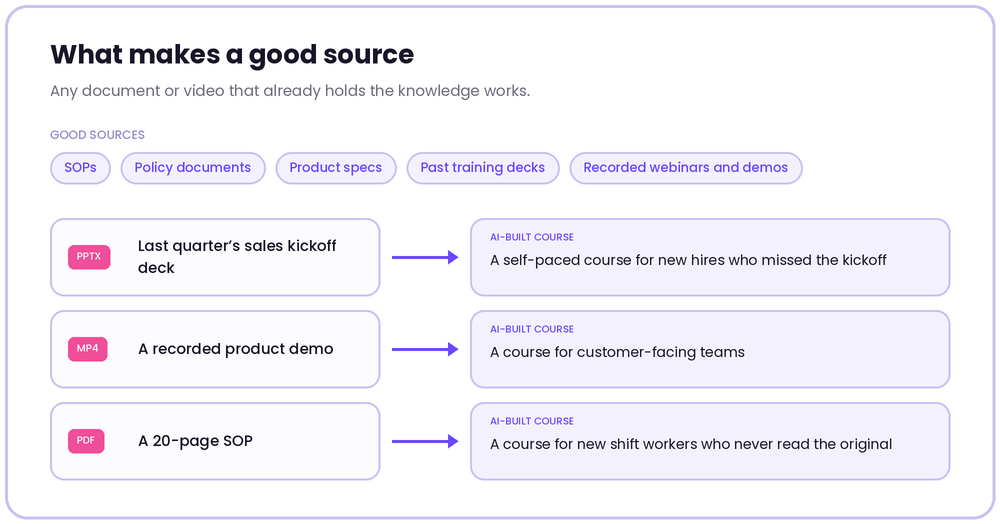
Already have the content in a policy, SOP, training deck or video? Upload it with Upload Doc / Video and hit Generate. Nano Composer turns it into structured lessons with gamified, practice-based learning built in.
Step 3: Pick a format for each lesson (10 minutes)
Every lesson in your draft opens in the AI Lesson Builder, where you can change its format. Check that each one fits what learners need to do, and switch any that don’t.
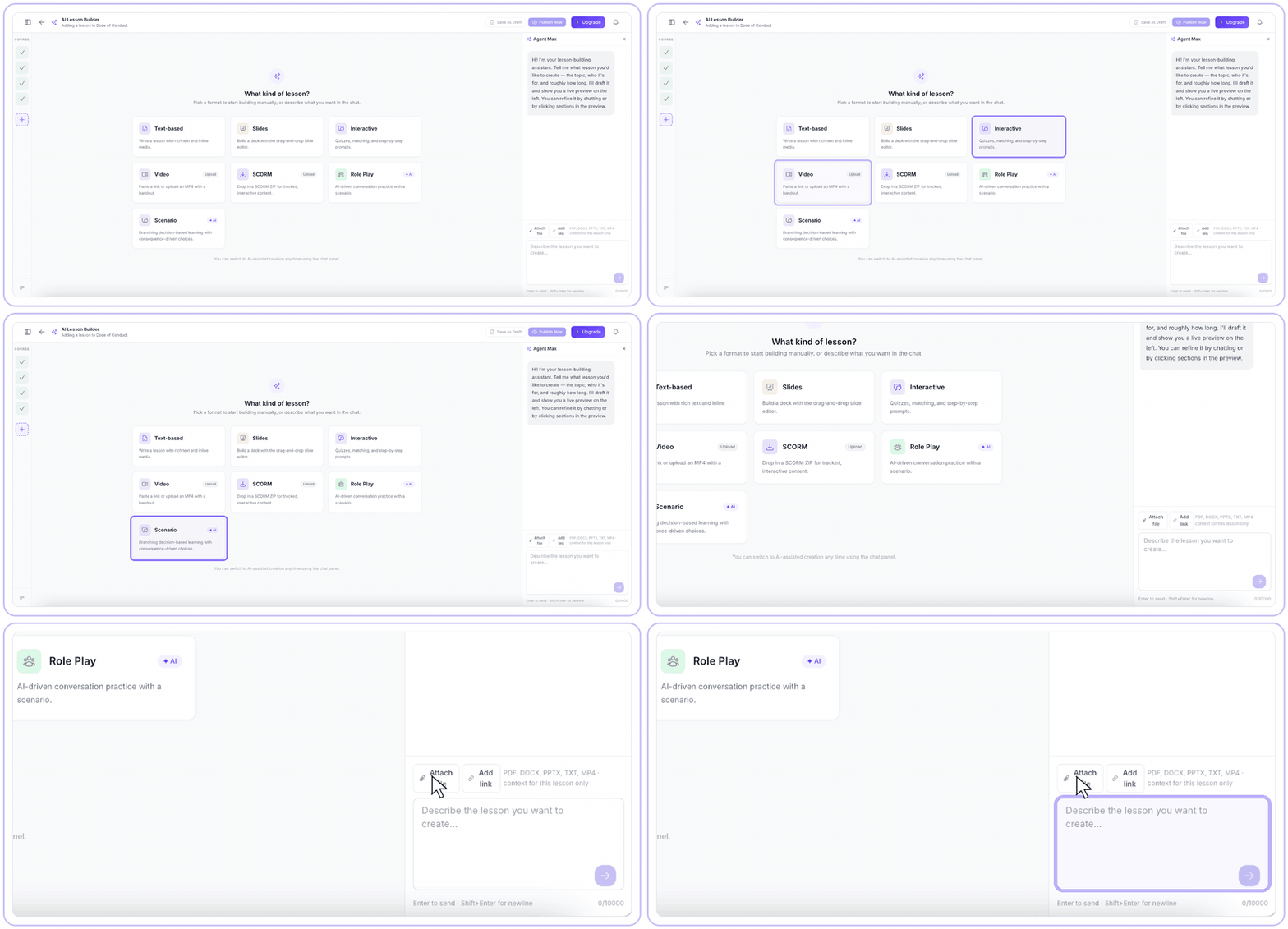
The Lesson Builder offers several lesson formats, from text and slides to AI-built scenarios and role plays. To pick the right one, start with what the learner needs to do:
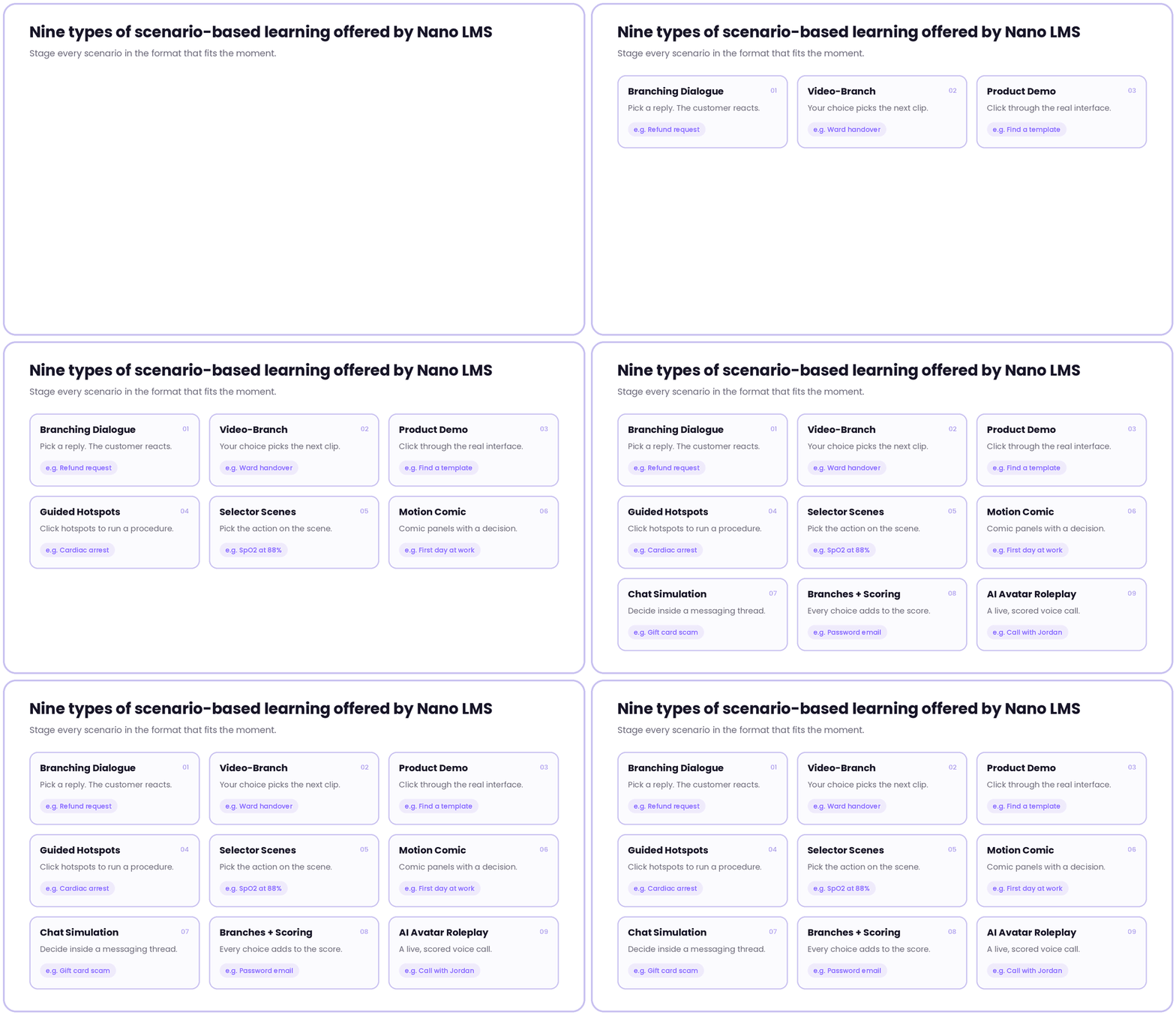
Which lesson format should you use?
- Know a rule or definition: Use Text-based lessons or Slides to explain concepts, share key information, and help learners understand and remember important points.
- Follow a sequence of steps: Use Interactive lessons to guide learners through a process step by step, with opportunities to engage with the content along the way.
- See something done: Use Video lessons to demonstrate a task, show how a process works, or explain something that is easier to understand visually.
- Reuse content you already own: Use SCORM to bring existing courses into your LMS without having to rebuild the content from scratch.
- Make a judgment call: Use Branching Scenarios to present realistic situations where learners make decisions and see how those choices affect the outcome.
- Handle a difficult conversation: Use Role Play to let learners practise real conversations, respond to different situations, and receive feedback in a safe learning environment.
Step 4: Check for AI errors (20 minutes)
AI errors are small and plausible, which is why they slip through. In compliance training, one wrong number can do real damage. Read the draft beside the source and check for:
- Changed numbers: “48 hours” where the policy says 24. Search the PDF for every number.
- Dropped exceptions: the rule survives, the “unless” disappears.
- Invented examples: case studies that aren’t in the source.
- Softened obligations: “should” where the policy says “must”.
- Reordered steps: check every sequence against the source.
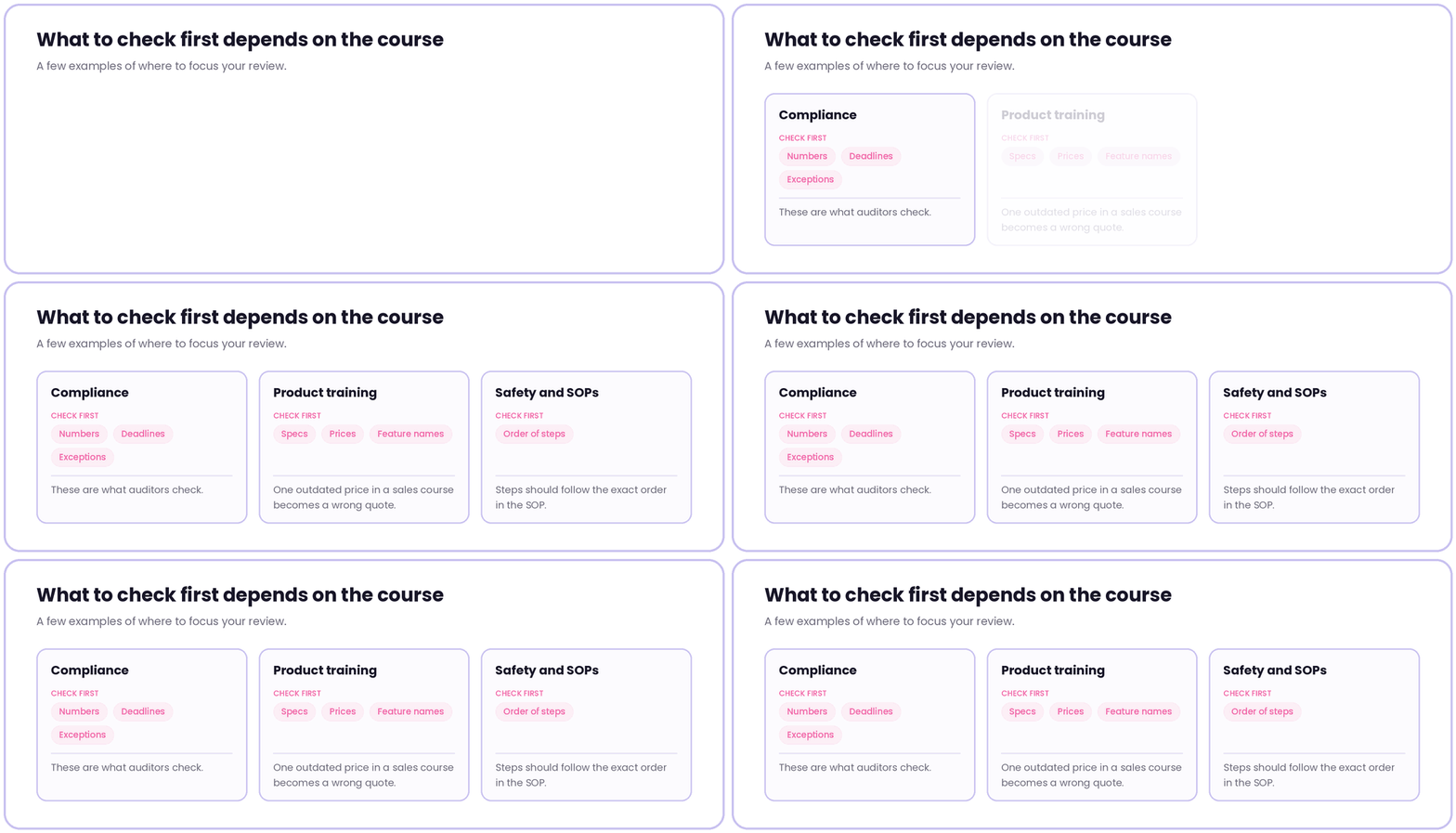
Fix anything that doesn’t match the source before moving on. Tip: ask Agent Max to list every factual claim with its source page first. Claims without a page go to the top of your check.
Step 5: Build assessments that test decisions (15 minutes)
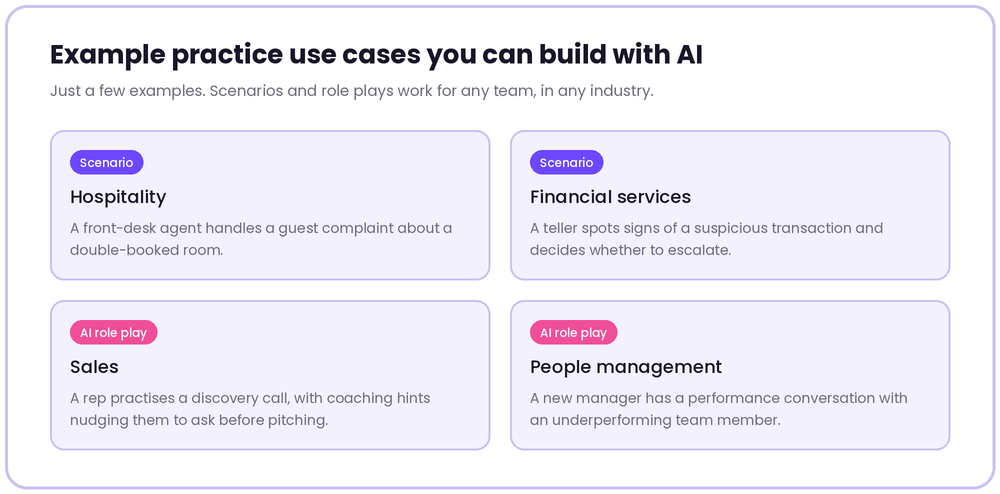
Someone can ace a quiz on the definition of a conflict of interest and still accept a vendor’s concert tickets. Put learners in the moment of the decision, and make every wrong option tempting by using mistakes people actually make on the job.
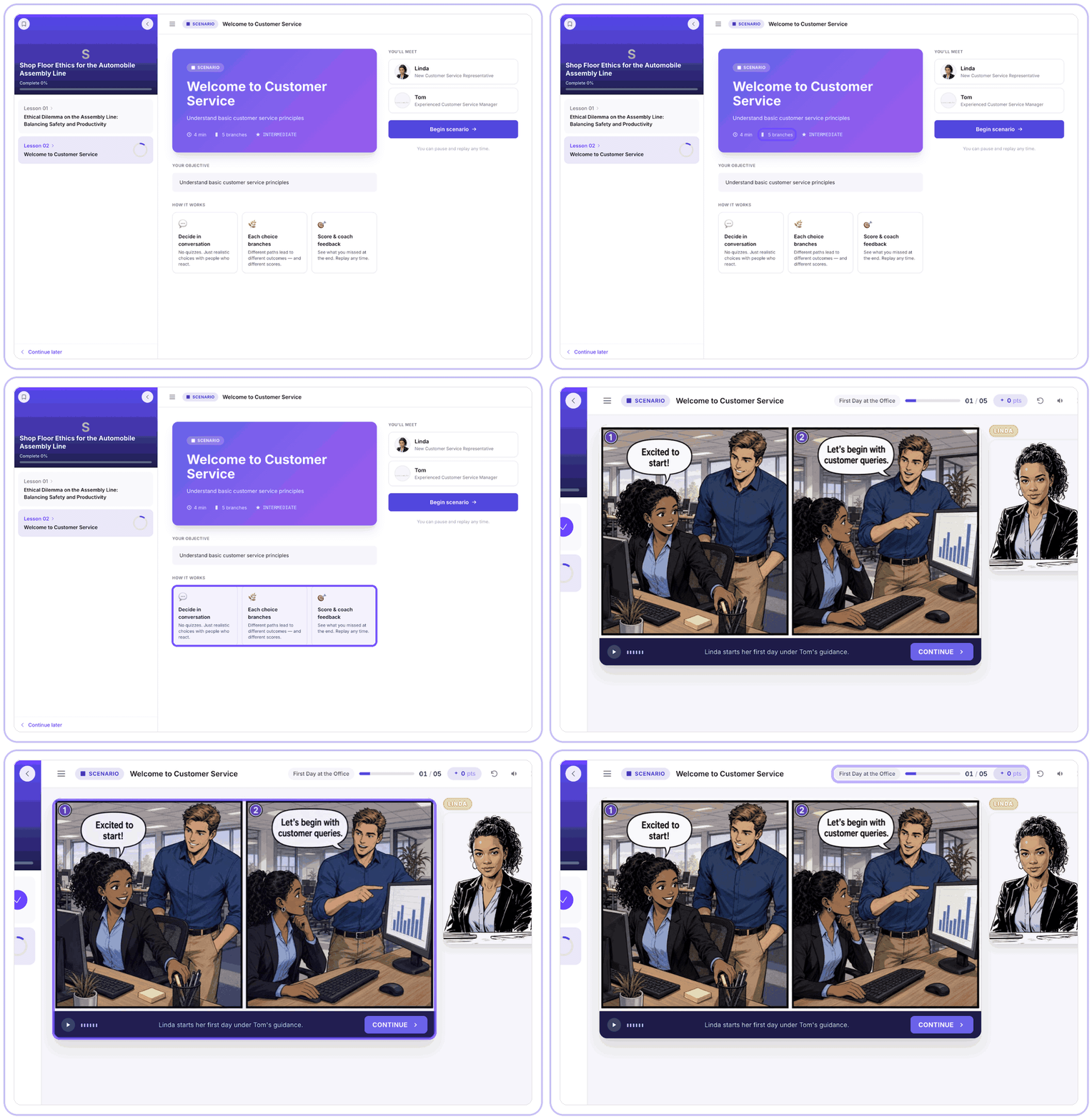
- Branching scenarios for judgment calls. Each choice leads to a different path, scored and coached at the end.
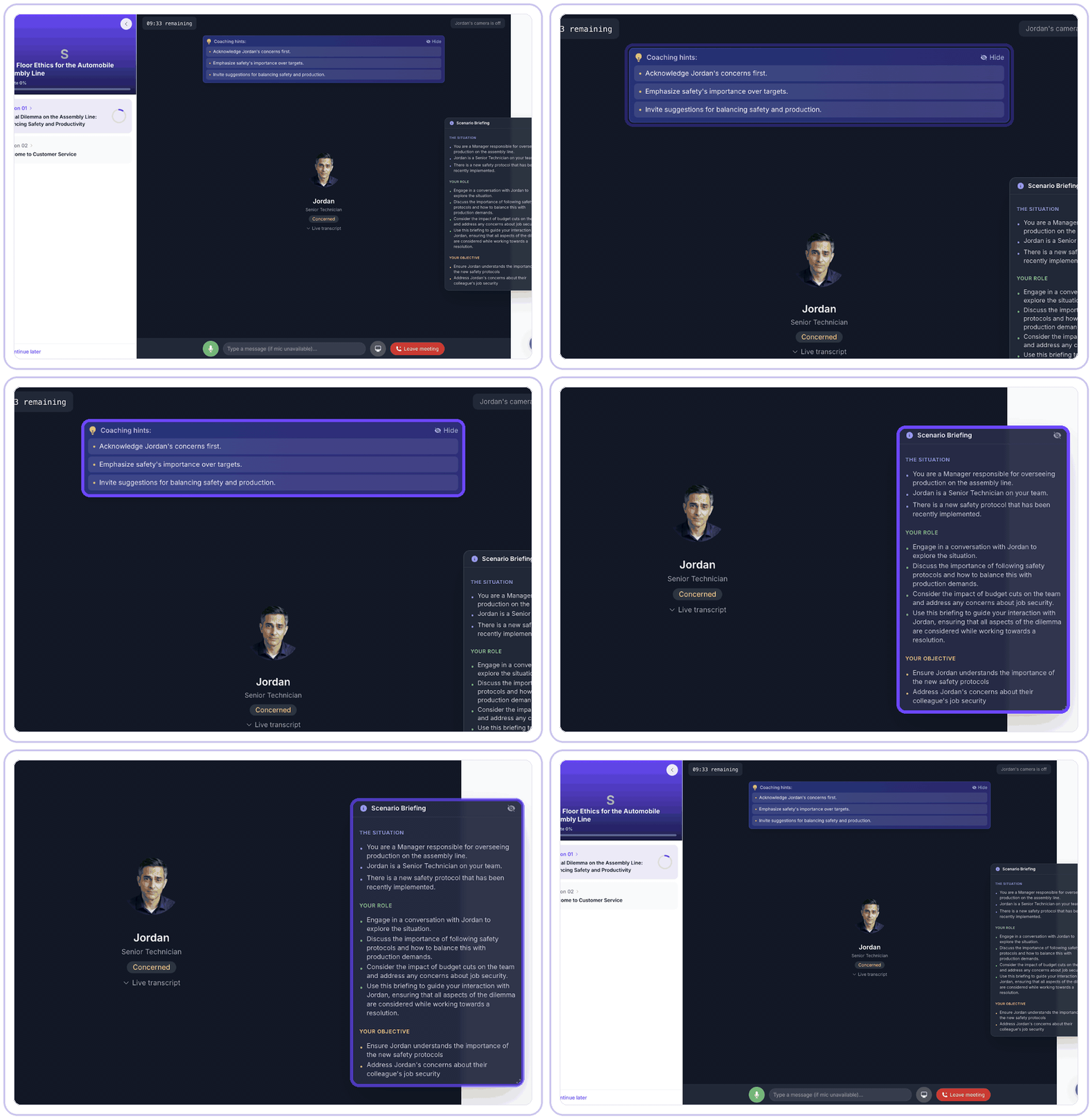
- AI role play for conversations. Learners talk to an AI character with a briefing, an objective and live coaching hints, like a manager enforcing a new safety protocol with a worried senior technician.
Keep a short knowledge check for facts that need recall, like thresholds and deadlines, and check every scenario branch for the Step 4 errors. (Scenario vs simulation-based learning can help you pick the right practice format.)
Step 6: Publish and watch the first learners (5 minutes)
Hit Publish Now and assign the course. After the first 20 or so completions, check Reports for a question most people fail, a scenario branch nobody picks, or a lesson with a sharp drop-off. Fix, republish and move on. Regenerating one lesson takes minutes.
The bottom line
AI moves your hour from building to judgment: defining the outcome, verifying facts and designing practice. Pick the PDF people complain about most and give it an hour. To see what the saved weeks are worth across your team, try the LMS ROI Calculator.