AI Employee Onboarding Software That Gets New Hires Productive in Days, Not Weeks

Turn your scattered docs, decks, and tribal knowledge into an engaging onboarding course your new hires actually finish. Built by AI in an afternoon. Free to start, no credit card.

Free to start, no credit card. Then $1 per learner per month, $15 per trainer per month.
Young employee dressed sharp, arms crossed, confident
Time to productive
Productive
▲ Productive in days, not weeks
🚀
Live in an afternoon
built by AI

Built by Animaker, trusted by 35M+ creators and teams at

Johnson & Johnson MSD Amazon United McDonalds Visa Truist Colgate Uber HP Ball Unilever

Nano LMS wins Silver Globee® Award and Talented Learning’s Top 10 Innovations 2026 spot

Try Nano LMS
Talented Learning Top 10 Innovations 2026 Globee Awards Silver Winner 2026

What is employee onboarding software?

Employee onboarding software does two jobs. One gets a new hire set up: contracts, tax forms, payroll and accounts. The other teaches them the role, the product and the customers.

Tools like BambooHR, Rippling and Gusto handle the first job. Nano LMS is an onboarding LMS built for the second, and it sits right next to them. Onboarding customers or partners instead? See the enterprise page.

Your HR system handles offer and contract, I-9 and tax forms, payroll and benefits, and devices and accounts. Nano LMS adds a learning path for the role, product and customer knowledge, practice and AI roleplay, and a readiness sign-off

How the onboarding LMS works

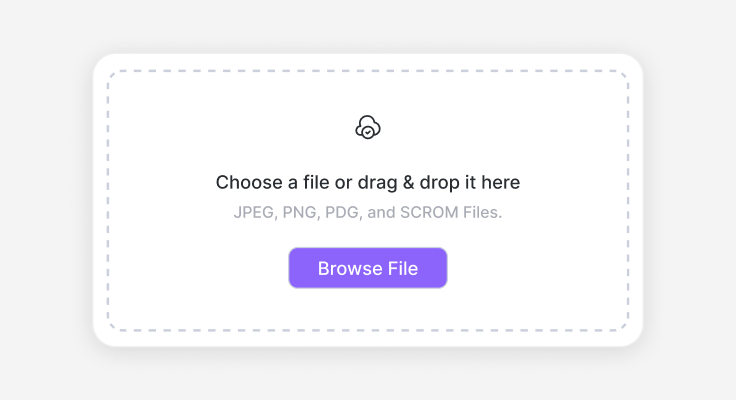
Upload a file: drag and drop JPEG, PNG, PDF or SCORM files
1

Drop in what you have

A handbook, a deck, SOPs or a recorded walkthrough. No docs? Describe the role.

AI generating the course outline: fundamentals module, knowledge check quiz and a roleplay scenario
2

AI builds the course

Lessons, quizzes, scenarios and AI roleplay. Edit anything before you publish.

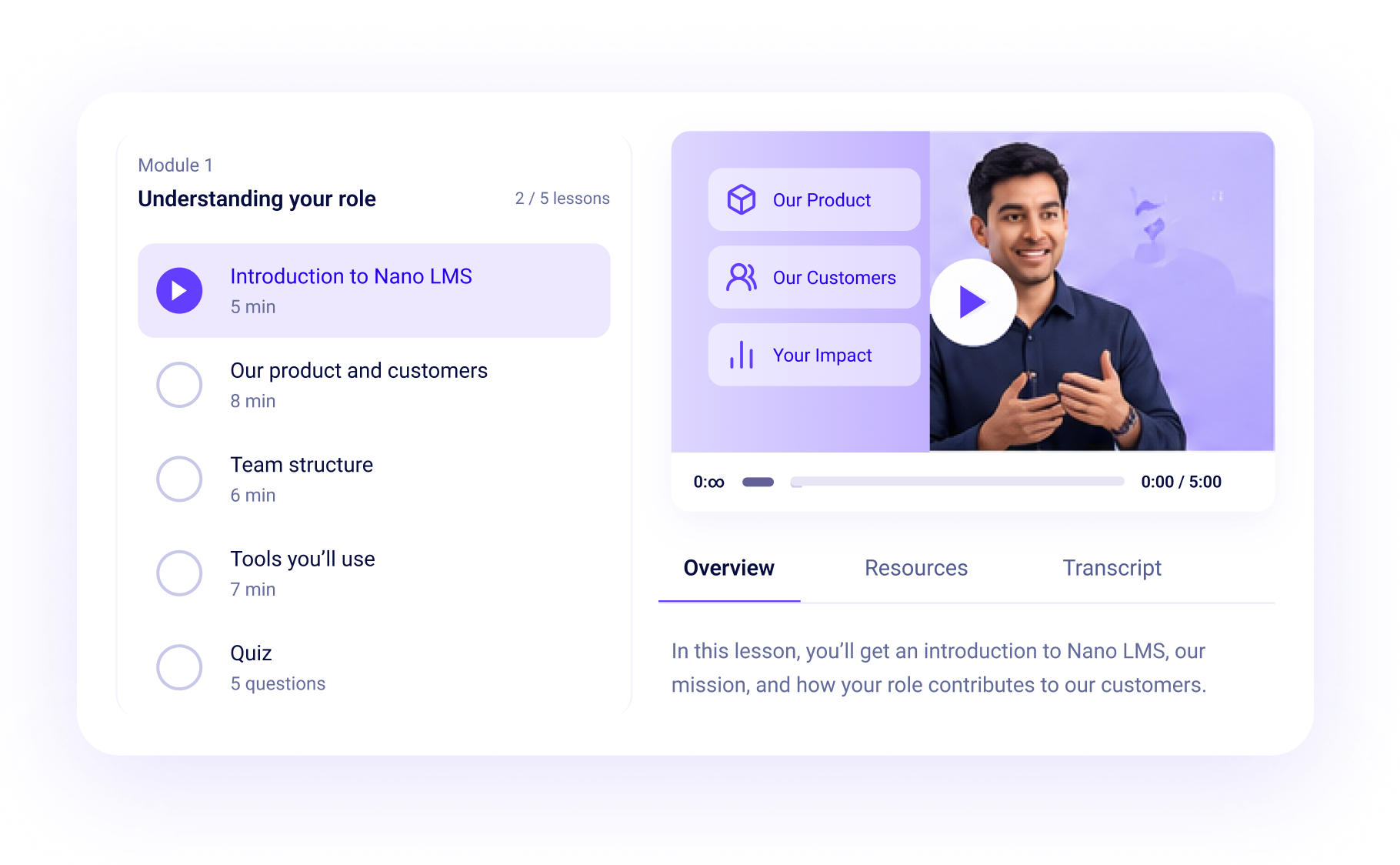
Team readiness: completion and quiz scores for enrolled teams, with reminders active
3

Assign by role

New hires get the right path on their start date, by role and location.

Your 30, 60, 90 day onboarding plan, built in

Good onboarding is a sequence. Here's what a new hire does in Nano LMS at each stage.

  1. Before day oneA welcome course: who you are, how you work, what week one looks like.
  2. Day oneThe role path is assigned automatically: tools, systems and the first things to know.
  3. Week oneProduct and customer lessons, the first AI roleplay, and required compliance modules.
  4. Day 30Practice on real situations, then a readiness check the manager reviews.
  5. Day 60Deeper skills, with follow-up lessons on the weak spots practice scores show.
  6. Day 90Sign-off, then on to ongoing employee training on the same platform.

The first tough call happens in practice

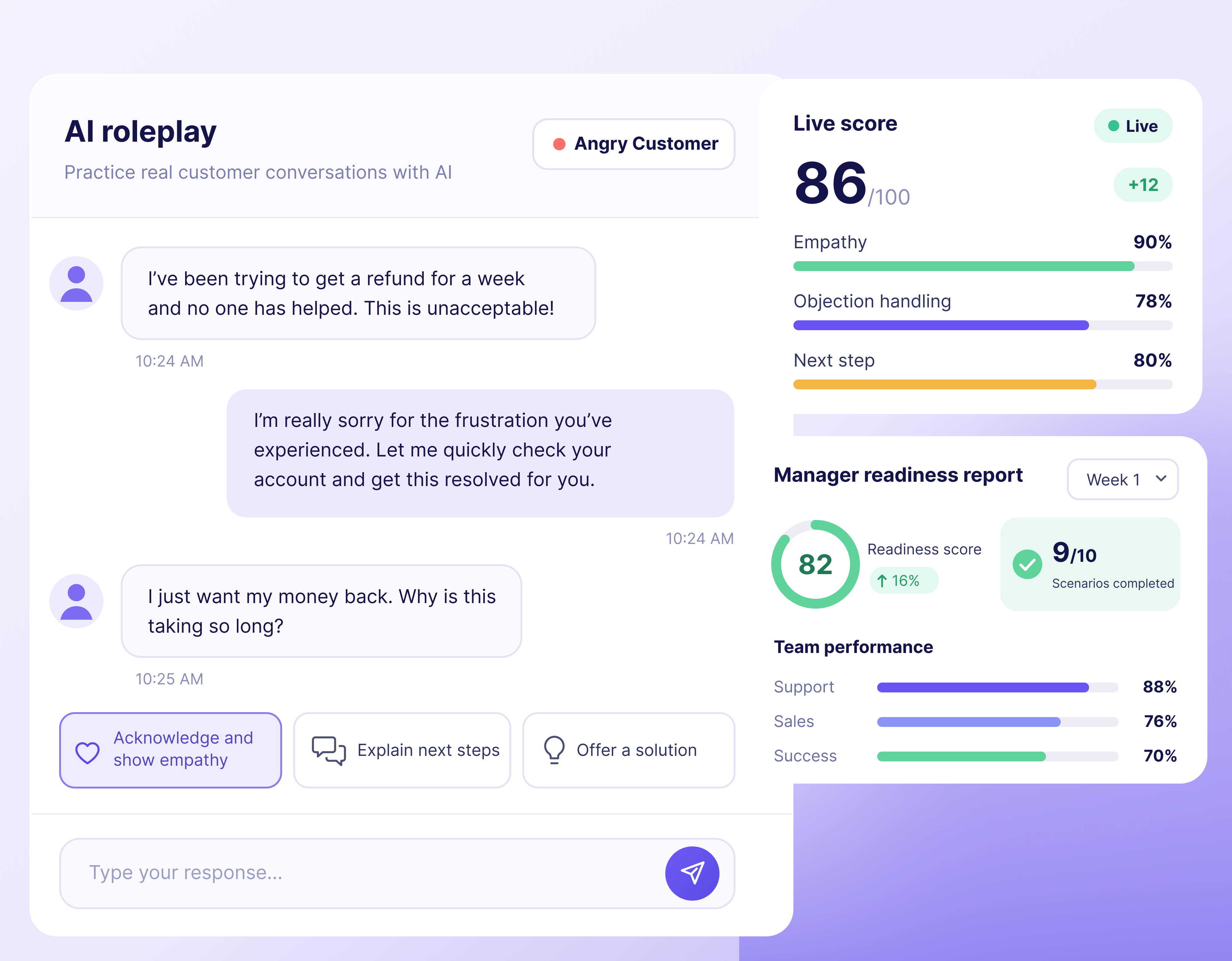
A new support rep handles an angry customer against an AI that responds and scores them, before a real customer ever does.

Managers see those scores in week one, so they know who's ready and who needs help long before the 90-day review. Put your own ramp numbers into the LMS ROI calculator.

Week one AI roleplay: a customer's order is late for the second time and they want a refund. The new hire apologises, refunds the shipping and gets the order out with tracking, and is scored on empathy, policy accuracy and a clear next step, 78 overall

What the onboarding LMS
includes

Role-based learning paths

Cashier, engineer, manager: each new hire gets the right course.

AI roleplay

Practice real conversations and get scored before the real thing.

Enrollment that follows hiring

Add new hires by role and location, or import a list from your HR system.

Readiness checks

Managers sign off on evidence, with the weak spots listed.

Leaderboards

New hires see how their practice scores compare with their cohort.

Compliance from week one

Required modules with certificates tracked.
Compliance training

Onboarding use cases by team

One onboarding LMS, a different first week for each role. Every path ends with practice that looks like the real job.

A company with twelve sites builds the course once and assigns it everywhere. Need a starting point? The course library has onboarding programs ready to edit.

Why Nano LMS

Onboarding software compared

HR platforms, checklist tools and learning platforms all show up in the same search. Each one does a different job.

Capability
HR onboarding module
Checklist tool
Authoring tool plus LMS
Nano LMS
Contracts, tax forms and payroll
Yes
No
No
Keep your HR system
Role training from your own docs
Basic, if any
You write it page by page
You build it slide by slide
AI builds it, you edit
Practice before the first real customer
No
No
Mostly quizzes
Scenarios and AI roleplay
Shows who's ready
Tasks completed
Read receipts
Completion and quiz scores
Practice scores and manager sign-off

Comparing named platforms? See our 20 best corporate LMS platforms of 2026.

FAQ

Employee onboarding software FAQ

No. Keep your HR system for forms, payroll, benefits and devices. Nano LMS builds and runs the training, tracks practice and certificates, and shows who's ready. The two work side by side.
Yes. Send a welcome course as soon as the offer is signed, so new hires learn who you are, how you work and what week one looks like. Save the role-specific material for day one.
Every new hire in a role gets the same complete path. They practice real situations with AI roleplay before doing them for real. And managers see practice scores in week one instead of at the 90-day review.
Yes. Upload a handbook, a slide deck, a Notion export or a recorded walkthrough, and Nano LMS turns it into lessons with quizzes, scenario practice and AI roleplay. Existing SCORM courses can be imported on the Enterprise plan.
Yes. Start a free trial and build a course from your own handbook. After that, you pay per learner and per trainer; current rates are on the pricing page.

Build your onboarding course
this afternoon

Free to start. No credit card.