
Cloud Learning Management System: Every LMS Is in the Cloud, So What?
Ten years ago, choosing a cloud learning management system was a big decision.
Today, most LMS platforms already run in the cloud. Learners open a browser, sign in, and start.
So the real question for 2026: What should the cloud do for you, now that it’s the default?
Most articles stop at access, cost and scalability. This one covers:
- What cloud learning management is?
- Why hasn’t the cloud still fixed learning?
- What a modern platform should include?
- 7 questions to ask before you buy.
What is cloud learning management system?
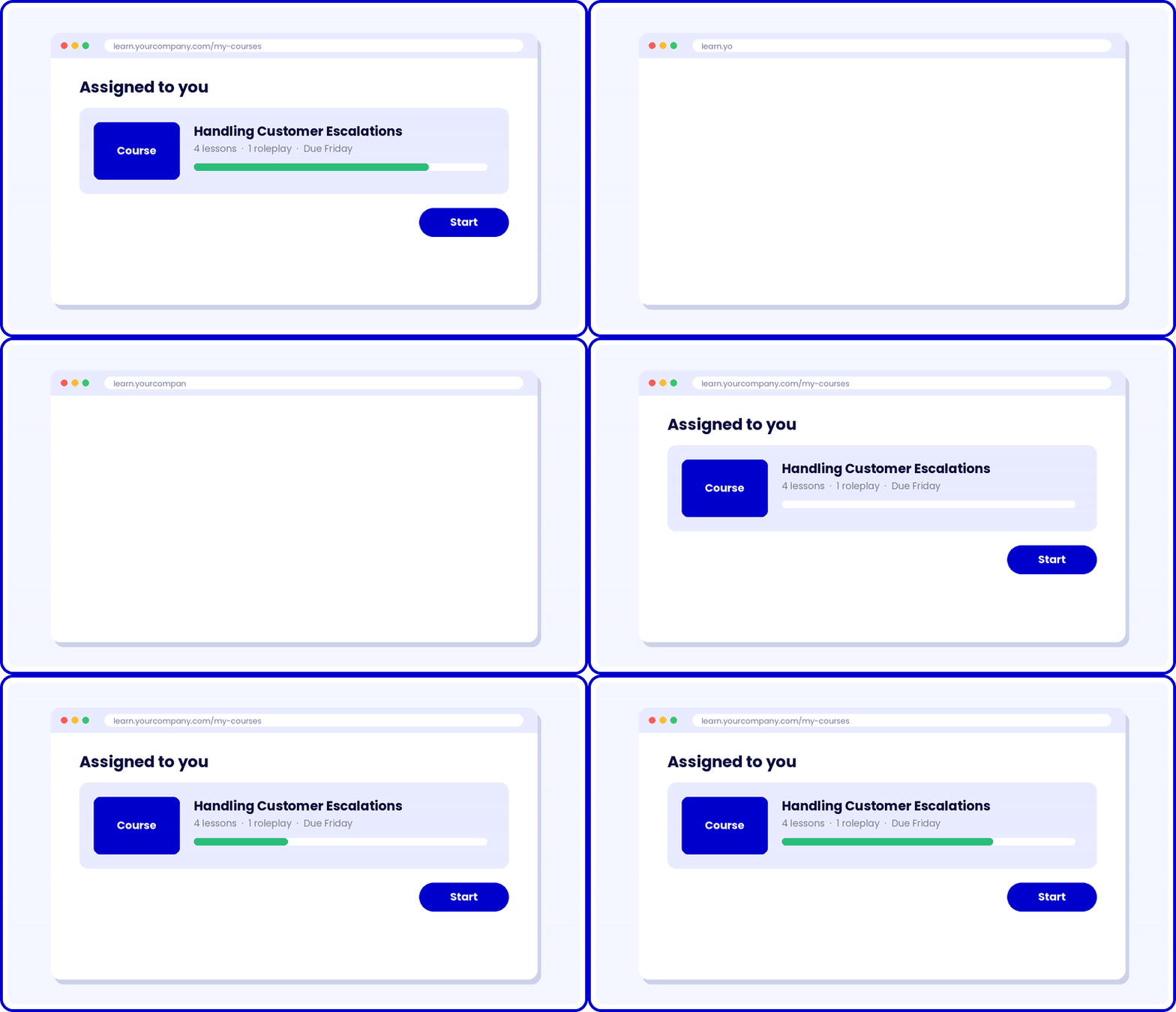
Cloud learning management system means creating, delivering and tracking training through software that lives on a vendor’s servers. You reach it through a browser.
With a cloud based learning management system, you get:
- No installs: Nothing to set up on company hardware.
- No maintenance: The vendor handles hosting, security patches and updates.
- Subscription pricing: Usually per user or per active learner.
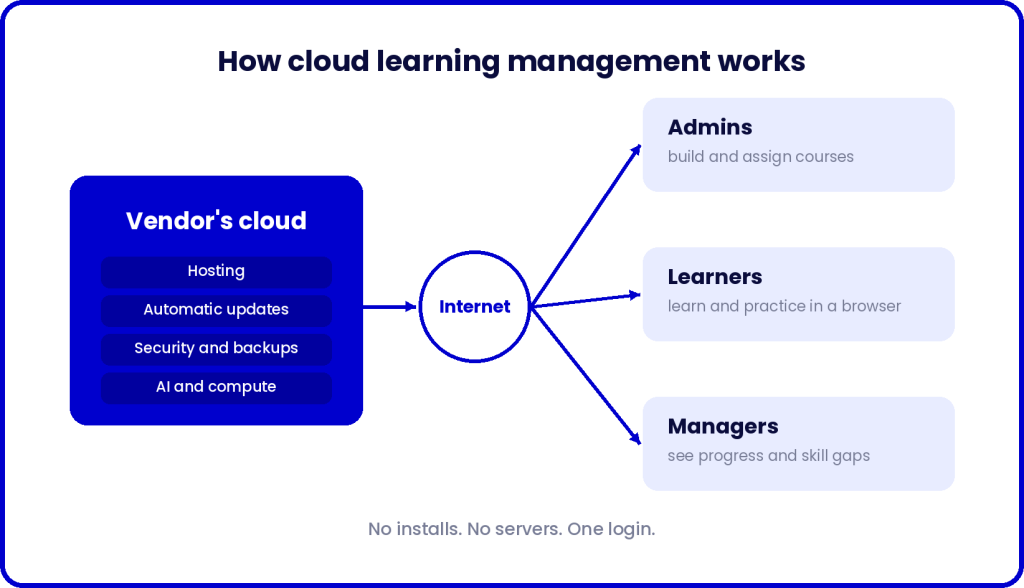
How cloud LMS works?
Four groups are involved, all connected through the internet:
- The vendor runs the platform. Servers, storage, security and updates live in the vendor’s cloud.
- Admins build and assign courses. They upload content, create courses and enroll learners from a browser.
- Learners sign in and learn. They use company SSO from any browser, on any network.
- Managers track progress. Completion, scores and skill gaps update in one dashboard.
Because everything lives in one place, every change shows up for everyone instantly.
Cloud LMS vs on-premise LMS
An on-premise LMS runs on your own servers. Some vendors call this “hosted.” The terms get used loosely, so always ask what a vendor means.
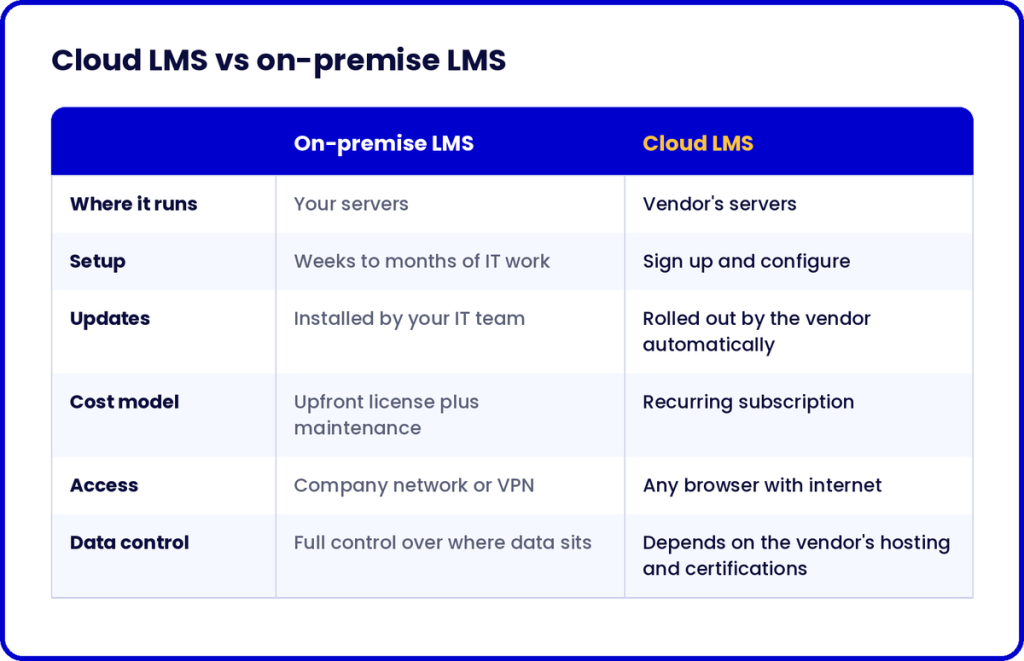
Bottom line: cloud wins on every row except data control. Ask every vendor about that one.
The cloud fixed logistics, learning is still waiting.
Moving the LMS to the cloud fixed delivery. Whether people actually learn is still an open problem.
Here’s how training still runs at most companies:
- A subject matter expert writes slides.
- An instructional designer spends weeks turning them into a course.
- The course goes live.
- Completion rates get reported.
- Nobody checks if anything has changed on the job.
The software is in the cloud, the workflow looks like 2005.
The content-to-delivery gap: The time between knowing what people need and putting a course in front of them. For most teams, it’s weeks. Hosting was never the bottleneck.
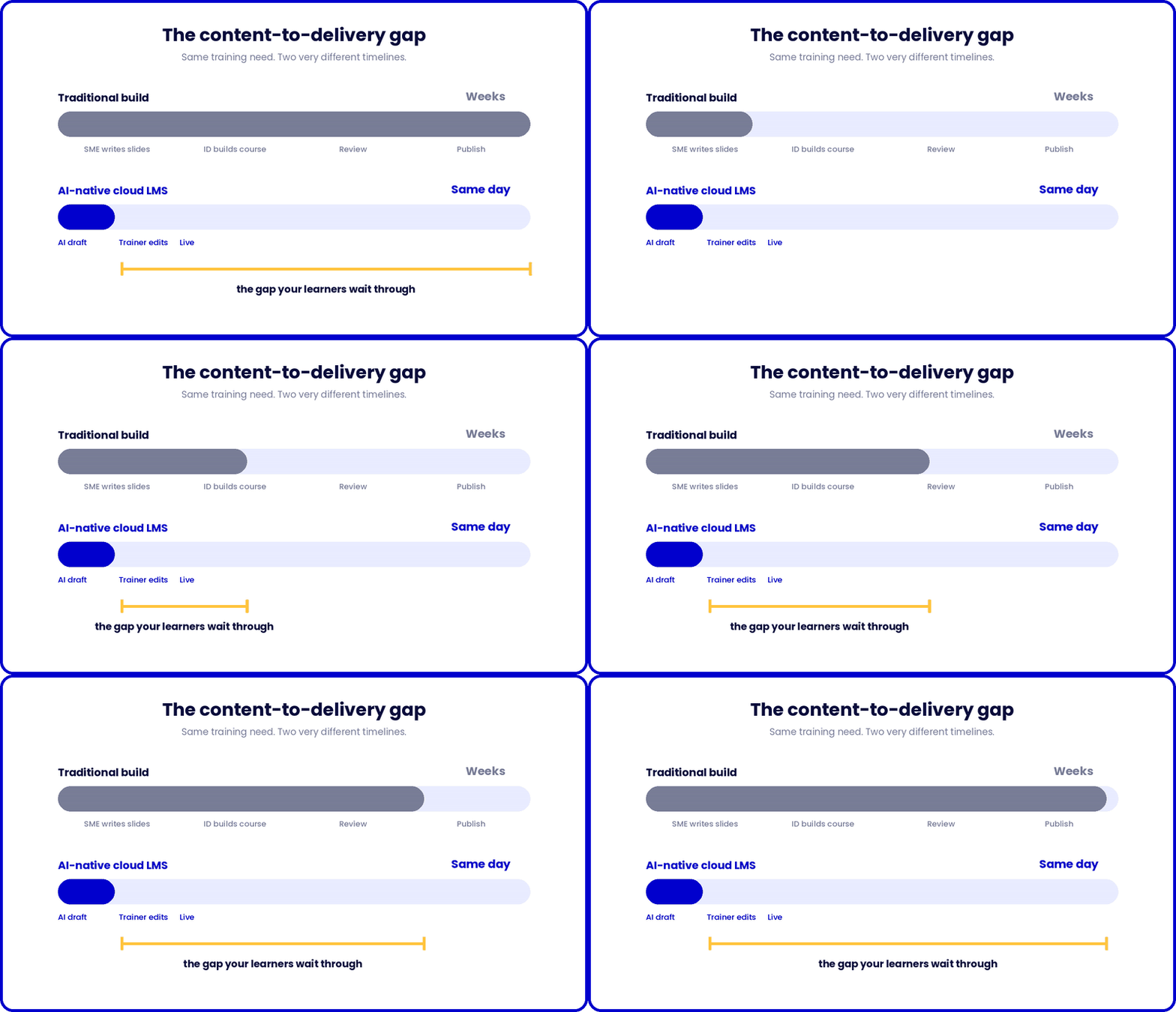
Three shifts define what cloud learning management system should mean now.
1. Courses that ship the same day
The shift: training updates as fast as the business does.
- A policy changes Monday, the course reflects it Monday.
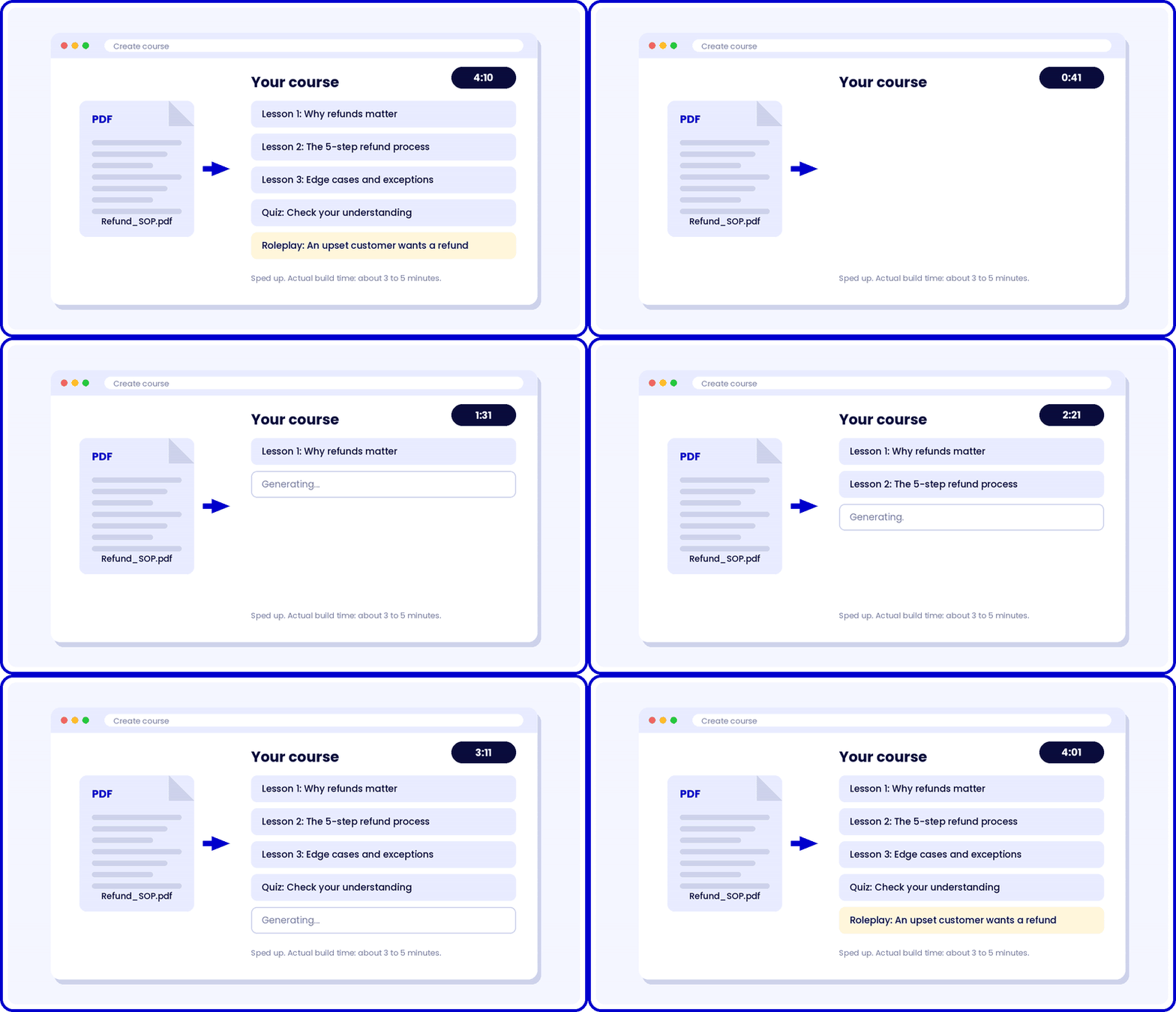
- AI course generation inside the LMS makes this realistic.
- Model, content and learners sit in one place, so there are no file handoffs.
2. Practice inside the platform
The shift: learners rehearse before it counts.
- Videos and quizzes prove someone paid attention.
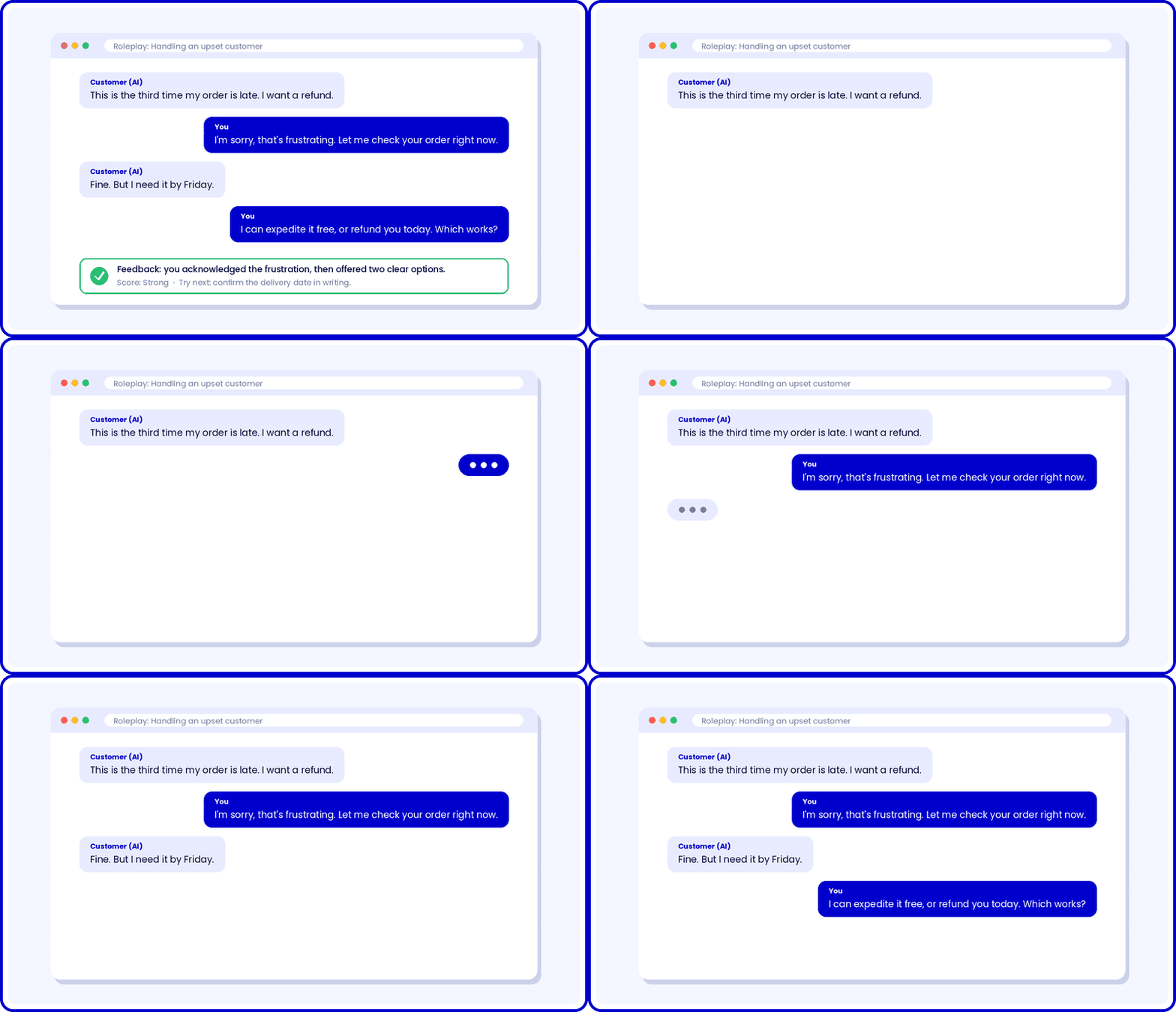
- Scenarios and AI roleplay let them practice the real decision or conversation.
- This runs on an on-demand compute, which is what the cloud is good at.
3. A feedback loop you can act on
The shift: data that tells you what to fix.
- Completion rates show who clicked through.
- Better analytics show where learners struggled and which choices they got wrong.
- Then the platform makes the rewrite fast. Build, run, judge, repeat.
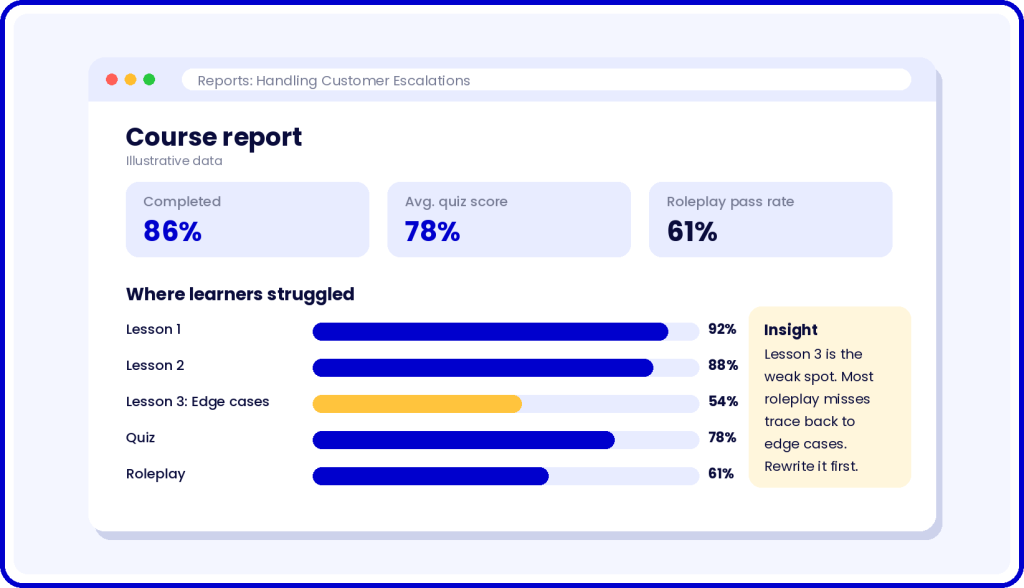
L&D spent the last decade making training cheaper to deliver, the next one belongs to teams who make it work.
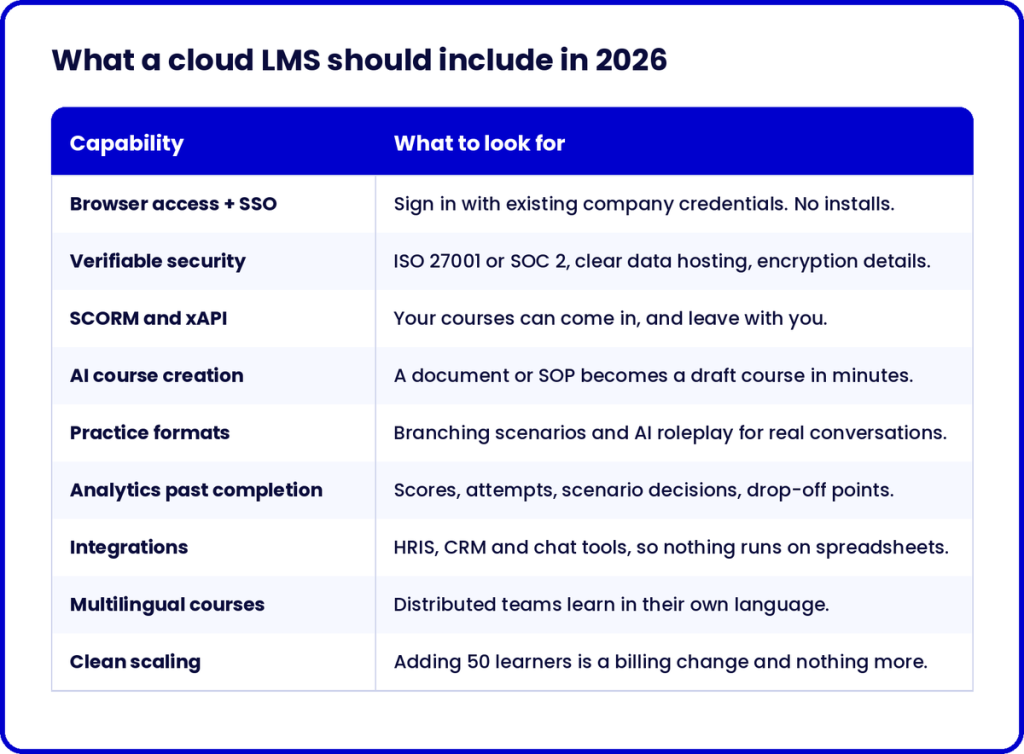
What a cloud based learning management system should include in 2026
Treat this as the baseline. If a vendor is missing one, ask why.
How to evaluate a cloud learning management system
Feature checklists are why so many teams end up shopping for a new LMS a few years later, it’s important to evaluate the LMS and ask these seven questions instead:
- How long does it take to go from a new SOP to a live course? Ask for a demo using your own document.
- What can learners practice, beyond watching and answering quizzes?
- What do the reports tell me about skill, beyond completion?
- If we leave, how do we take our courses and learner data with us?
- Where is our data hosted, and which security certifications back it?
- What does pricing look like at two and five times our current headcount?
- How often do you ship updates, and do we pay for them?
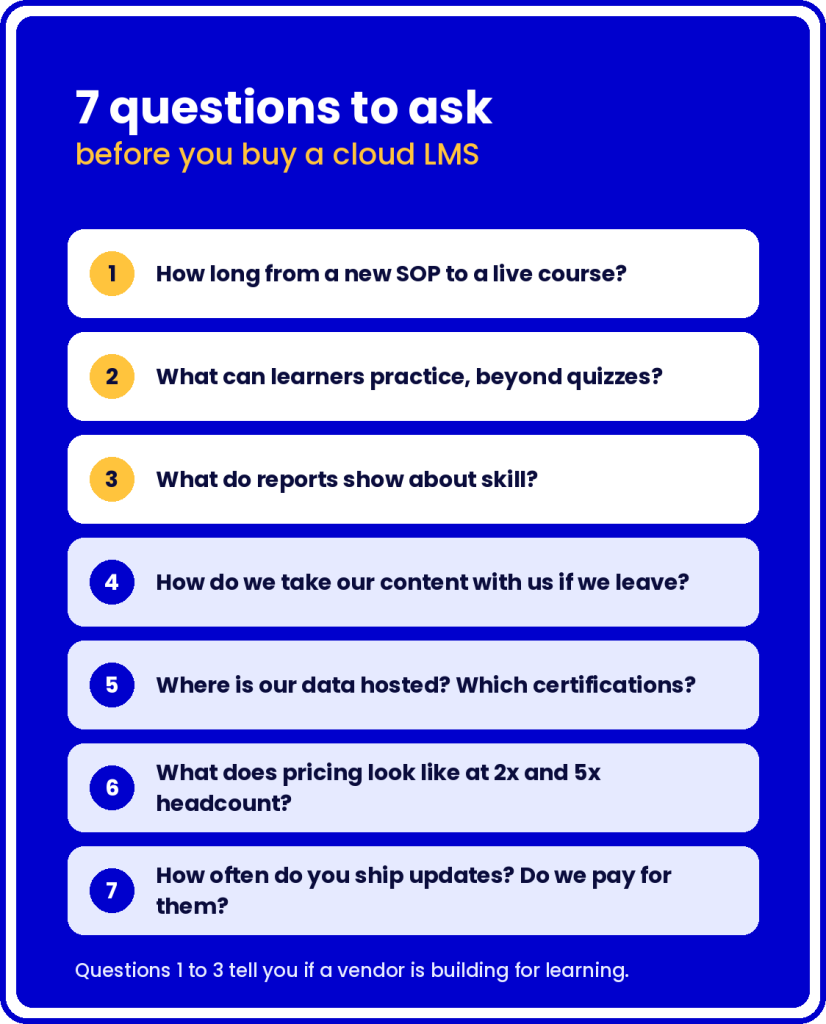
How to read the answers: strong answers to 1 to 3 mean the vendor is building for learning. If they only shine on 4 to 7, they’re selling hosting.
Where Nano LMS fits?
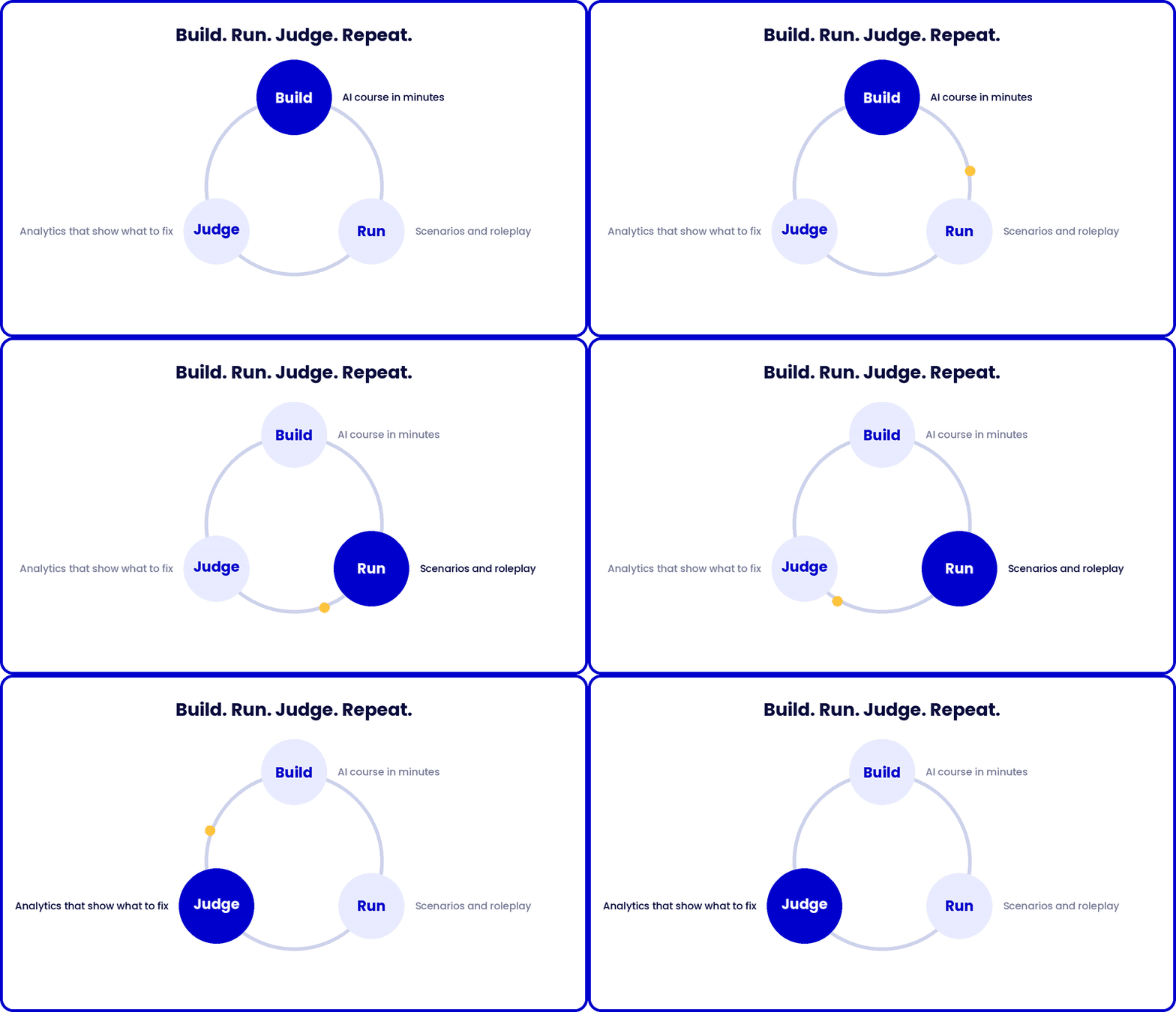
Nano LMS is a cloud learning management system built around one loop: build, run, judge.
- Build: AI generates a full course from your material in 3 to 5 minutes. Trainers refine it through Agent Max, a chat interface for editing courses.
- Run: Learners rehearse with scenario-based learning and AI roleplay alongside standard courses and assessments. SSO, multilingual courses, SCORM export and integrations come built in.
- Judge: Analytics show what learners got right, where they struggled and which content needs another pass.
Under the hood:
- Runs on Animaker’s infrastructure with an ISO 27001 security stack.
- Routes across the latest GPT and Claude models.
- Silver Globee Award for Achievement in Learning & Development, 2026.
- Named in Talented Learning’s 2026 Top 10 Learning Tech Innovations.
The question worth asking
The cloud settled where training lives. What happens once a learner logs in is still open, and that’s where your next LMS decision should focus.
CTA: Try Nano LMS free and build your first course in minutes.
FAQ
- What is a cloud-based learning management system?
A cloud-based learning management system is training software hosted on the vendor’s servers and accessed through a browser. Organizations use it to create, assign and track courses without installing or maintaining anything themselves, and pay through a subscription.
- What’s the difference between a cloud LMS and an on-premise LMS?
An on-premise LMS runs on your own servers, so your IT team handles installation, updates and security. A cloud LMS runs on the vendor’s servers, updates automatically and is reachable from any browser.
- Is a cloud learning management system secure?
It can be more secure than an in-house setup, since the vendor runs dedicated security operations. Check for certifications like ISO 27001 or SOC 2, SSO support and clear answers on where your data is stored.
- How is a cloud LMS priced?
Most vendors charge a subscription per registered user or per active learner, often in tiers. Ask what happens to the price as your headcount grows and which features sit behind higher plans.
- Do small companies need a learning management cloud platform?
Small teams often benefit the most, because they have no IT staff to maintain servers. A learning management cloud setup lets one person build, assign and track training on their own.
- Can I move existing courses to a cloud LMS?
Usually, yes. If your courses are SCORM or xAPI packages, most cloud based learning management platforms can import them. Confirm export options too, so you aren’t locked in later.